Schoology EPISD Grading Scale Explained: Weighted Grades and GPA
Schoology EPISD Grading Scale Explained: Weighted Grades and GPA
If a score of 85 percent means a B in one class but the same percentage barely holds a C in another, weighted grading is usually the reason. EPISD teachers use grading categories and weights in Schoology, which means different types of work count differently toward the final grade. This guide explains how the Schoology EPISD grading scale works, how to see the weights in each course, and the basics of how GPA is calculated.
How Weighted Grading Works in Schoology
In a simple grading system, every point counts the same: 90 out of 100 on a quiz equals 90 out of 100 on a final exam. In a weighted system, assignments are sorted into categories — such as tests, quizzes, classwork, homework, and projects — and each category is worth a fixed percentage of the final grade.
For example, a teacher might set:
- Tests and exams: 40 percent
- Quizzes: 20 percent
- Classwork and participation: 20 percent
- Homework: 10 percent
- Projects: 10 percent
With these weights, a strong test average lifts the final grade far more than a strong homework average — and a poor test average drags it down far more too. This is why two students with similar point totals can end up with different grades.
The Letter Grade Scale
Most EPISD courses translate the final weighted percentage into a letter grade on a standard scale. A commonly used version is:
- A: 90–100 (excellent)
- B: 80–89 (above average)
- C: 70–79 (satisfactory)
- D: 60–69 (below average, at risk)
- F: below 60 (failing)
Exact cutoffs can vary by campus, course, or program, so always check the course syllabus or the teacher’s grading policy for the scale that applies to a specific class.
How to View Grading Details for a Course in Schoology
Step 1: Open the course gradebook
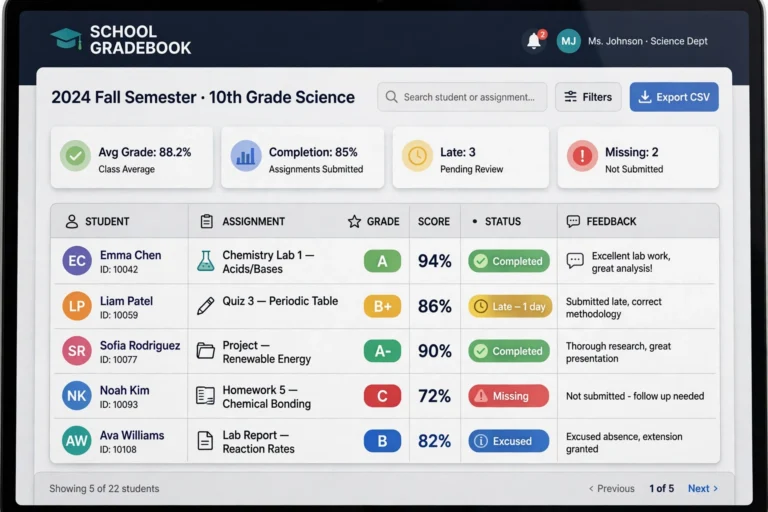
Log in to Schoology via the EPISD login page and open the Grades tab. Click the course name to see every graded item with its score, the points possible, and the date graded.
Step 2: Look for the category weights
In many courses, the gradebook shows the category each assignment belongs to (for example, “Test” or “Homework”). Some teachers publish the weight percentages in the course syllabus or in a grading-policy document posted in the course materials. If you cannot find them, ask the teacher — knowing the weights is the key to understanding the final grade.
Step 3: Read the category averages
Where Schoology displays category-level summaries, compare them against the weights. A low average in a 40-percent category is a much bigger problem than a low average in a 10-percent category. Focus study and makeup efforts where the weight is heaviest.
How Weights Affect the Final Grade: A Worked Example
Suppose a student has these category averages with the weights from the example above:
- Tests (40%): average of 82
- Quizzes (20%): average of 90
- Classwork (20%): average of 95
- Homework (10%): average of 100
- Projects (10%): average of 88
The weighted final grade is calculated like this:
(82 × 0.40) + (90 × 0.20) + (95 × 0.20) + (100 × 0.10) + (88 × 0.10) = 32.8 + 18 + 19 + 10 + 8.8 = 88.6, which is a high B.
Notice how the 82 in tests pulled the final grade down more than the perfect homework average lifted it. Small improvements in a heavily weighted category — raising the test average from 82 to 88, for instance — would move the final grade more than the same effort spent on homework.
GPA Calculation Basics
GPA (grade point average) turns letter grades into numbers so that overall performance can be compared across semesters and schools. The standard unweighted scale is:
- A = 4.0
- B = 3.0
- C = 2.0
- D = 1.0
- F = 0.0
To calculate a semester GPA, add up the grade points for each course and divide by the number of courses. For example, grades of A, B, B, and C give (4 + 3 + 3 + 2) ÷ 4 = 3.0.
Some advanced courses (such as AP or dual-credit classes) may earn weighted GPA points — for example, an A in an AP course might count as 5.0 instead of 4.0. Check with your campus counselor for EPISD’s exact GPA weighting rules, since they affect class rank and college applications.
Tips for Raising a Grade Before the Grading Period Ends
- Check for missing work first: ungraded or missing assignments score as zeros and devastate weighted averages. Turn in everything, even late work with partial credit.
- Target the heaviest category: one extra point on a test is worth far more than one extra point on homework.
- Ask about retakes or corrections: many teachers allow test corrections or quiz retakes for partial credit.
- Track progress weekly: check the Grades tab each week instead of waiting for the progress report — early action is always easier.
- Talk to the teacher early: teachers can explain exactly which assignments would help most and whether extra credit is available.
Frequently Asked Questions
Why does my grade drop when a new assignment is graded?
Because the new score enters a weighted category. A low score in a heavily weighted category (like tests) pulls the average down more than a low score in a light category. Also, early in a grading period, each assignment carries more weight simply because there are fewer scores.
What is the difference between points-based and weighted grading?
Points-based grading adds up all earned points and divides by all possible points — every point counts equally. Weighted grading groups assignments into categories worth fixed percentages, so a category’s importance is set by the teacher regardless of how many points its assignments carry.
Where can I see the official EPISD grading scale?
The exact scale is published in the course syllabus and the campus student handbook. If they differ from what you see in Schoology, the syllabus and handbook are the authoritative sources — ask the teacher to clarify.
Do plus and minus grades (A−, B+) exist in EPISD?
Many EPISD courses use whole letter grades only, but some programs use plus/minus grading with finer GPA point values (for example, B+ = 3.3). Your campus counselor can confirm which system applies.
How often should I check grades in Schoology?
Once a week is a good habit for students, and parents should check at least every couple of weeks — more often if a grade is borderline or a progress report is coming up.