
What Is Schoology EPISD? Complete Overview for Students & Parents
What Is Schoology?
Schoology is a learning management system (LMS) — an online platform where teaching and learning happen. Think of it as a digital classroom: teachers post lessons and assignments, students submit work and take quizzes, and parents follow along with grades and announcements — all in one place.
Schoology is used by thousands of schools across the US, from kindergarten through 12th grade.
What Is Schoology EPISD?
Schoology EPISD is the El Paso Independent School District’s implementation of the Schoology platform. EPISD adopted Schoology as its district-wide hub for digital learning, so every EPISD student, teacher, parent, and administrator uses it.
Students access it at episd.schoology.com (or app.schoology.com) by logging in with their EPISD email and password. There’s also a free Schoology mobile app for iOS and Android.
What Can You Do in Schoology EPISD?
Students
- View assignments, due dates, and course materials
- Submit homework and take quizzes online
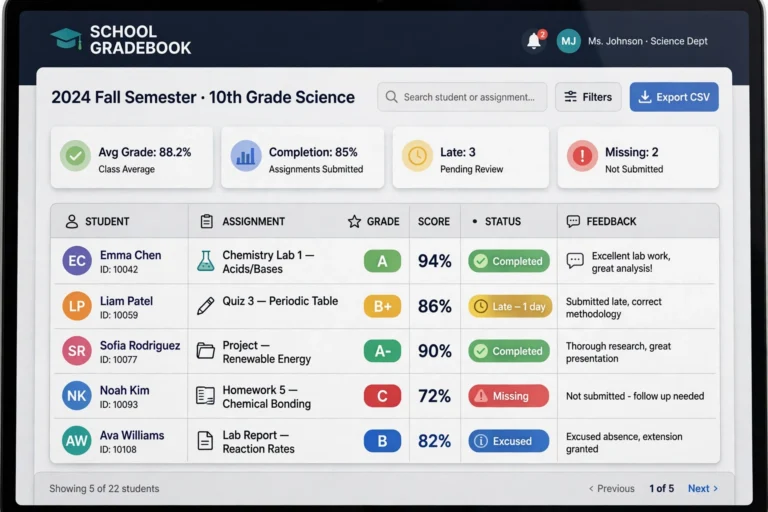
- Check grades in real time
- Message teachers and join class discussions
Parents
- Monitor your child’s grades, attendance, and assignments (with a Parent Access Code)
- Receive school announcements and teacher messages
- All in read-only mode — you observe, your child does the work
Teachers
- Create digital classrooms and post lessons, videos, and resources
- Build and grade assignments and quizzes
- Track student progress with analytics
- Communicate with students and parents
Administrators
- Monitor performance across schools
- Manage users, courses, and district-wide settings
- Run reports on engagement and achievement
How Schoology Fits Into EPISD Digital Learning
Schoology doesn’t work alone — it’s part of EPISD’s digital ecosystem:
- MyEPISD / ClassLink — the district’s single sign-on portal; many students reach Schoology through it
- Google SSO — log in with your @episd.org Google account, no separate Schoology password needed
- Office 365 — new students must set up their Office 365 account before Schoology login works
- Parent Portal — where parents find official grades/attendance records and their child’s Schoology access code
Is Schoology Free?
Yes — for EPISD families it’s 100% free. The district provides it to all students and parents. If anyone ever asks you to pay for Schoology, contact the EPISD Help Desk immediately — that’s a scam.
Getting Started: Quick Links
- Students: log in at episd.schoology.com with your EPISD email
- Parents: get your Parent Access Code, then sign up at schoology.com
- App users: see our Schoology app guide
- Login problems? Check the troubleshooting section on our homepage
Frequently Asked Questions
What’s the difference between Schoology and the EPISD Parent Portal?
Schoology is the day-to-day learning platform (assignments, grades in progress, messages). The Parent Portal (teams.episd.org) holds official records like final grades and attendance. Parents use both.
Do I need a separate Schoology password?
Not necessarily — EPISD supports Google SSO, so your @episd.org Google account logs you straight in.
Can I use Schoology over the summer?
Access typically follows the school year. Courses appear once teachers set them up for the new term.

5 Comments
Comments are closed.